PaperSnips 1.6 · Print different photo sizes on one A4 sheet
PaperSnips 1.6 for iPhone and iPad lets you pick photos while the numbered A4 page stays in view. You can fill two or three fixed frames of different sizes, then swap the photos without moving or resizing the frames.
Set photo sizes in millimetres or centimetres, arrange them on A4, and export a PDF. Make a page for your journal or scrapbook on iPhone, iPad or the native Mac app.
Export 3 different print projects free. Re-exporting the same print project does not use another allowance.
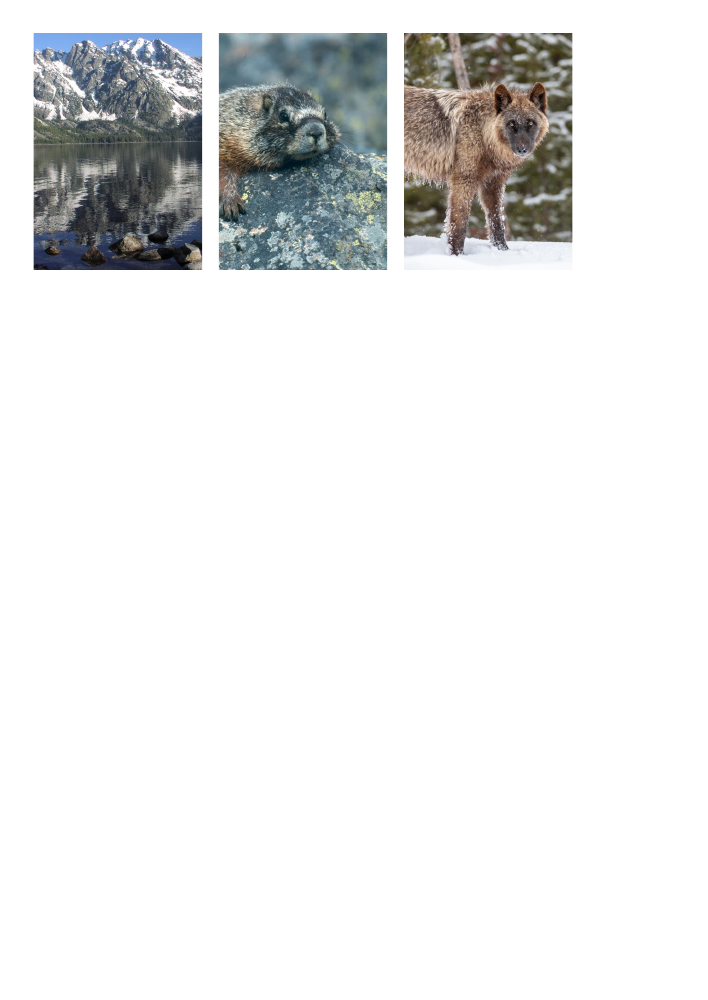
Right: actual iOS 1.4 (47) screenshot. Left: historical exported PDF preview, not a physical print.
NATIVE MAC APP · AVAILABLE NOW
A photo page, made on your Mac.
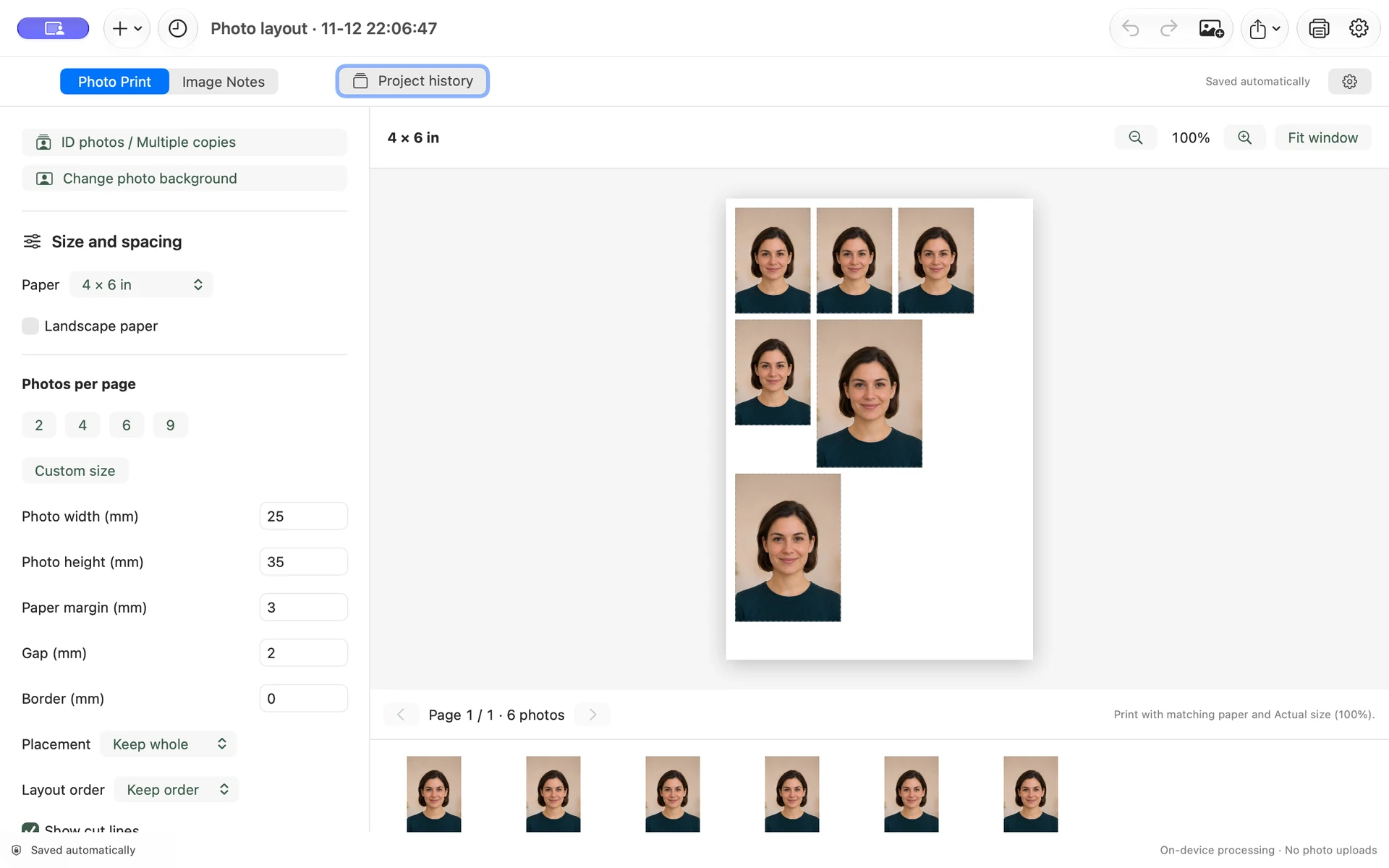
The native Mac app is available now. Import images from Finder or drag them into the workspace, adjust sizes beside the page preview, then export or print.
macOS 14.0 or later · English and Simplified Chinese · Export 3 different print projects free; optional one-time Pro.
Mac · 1.4 (28) · English interface · Mixed-size portrait layout · Actual PaperSnips 1.4 screenshots
PHOTO + TEXT PROJECTS · 1.3 AVAILABLE
Keep the words with the pictures.
Photo-and-text projects in 1.3 let you arrange images, captions and independent text paragraphs in stacked, side-by-side or two-column layouts, then export PDF or long images. Photo printing stays separate.
PaperSnips 1.4 is now available for iPhone, iPad and Mac. Availability varies by App Store region. Local projects do not automatically sync between devices.
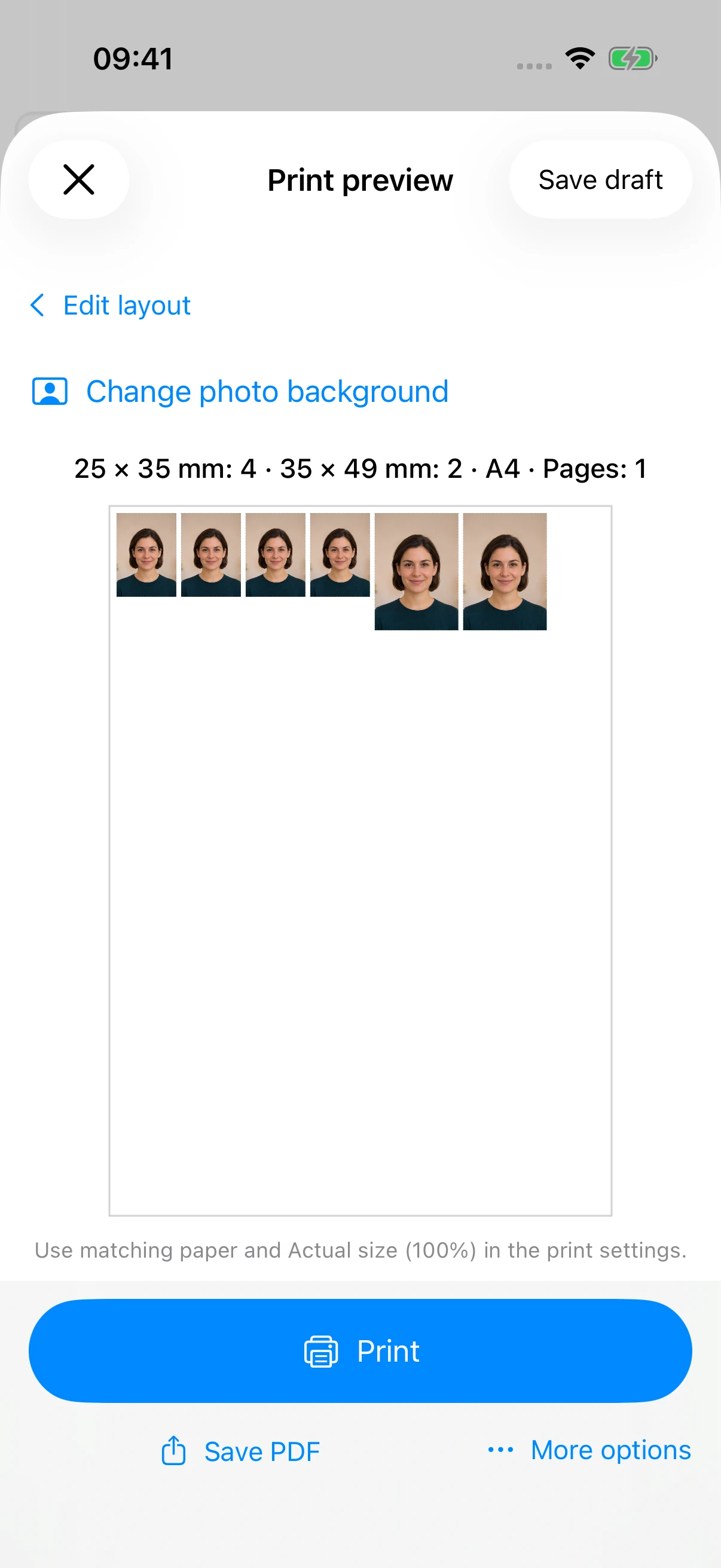
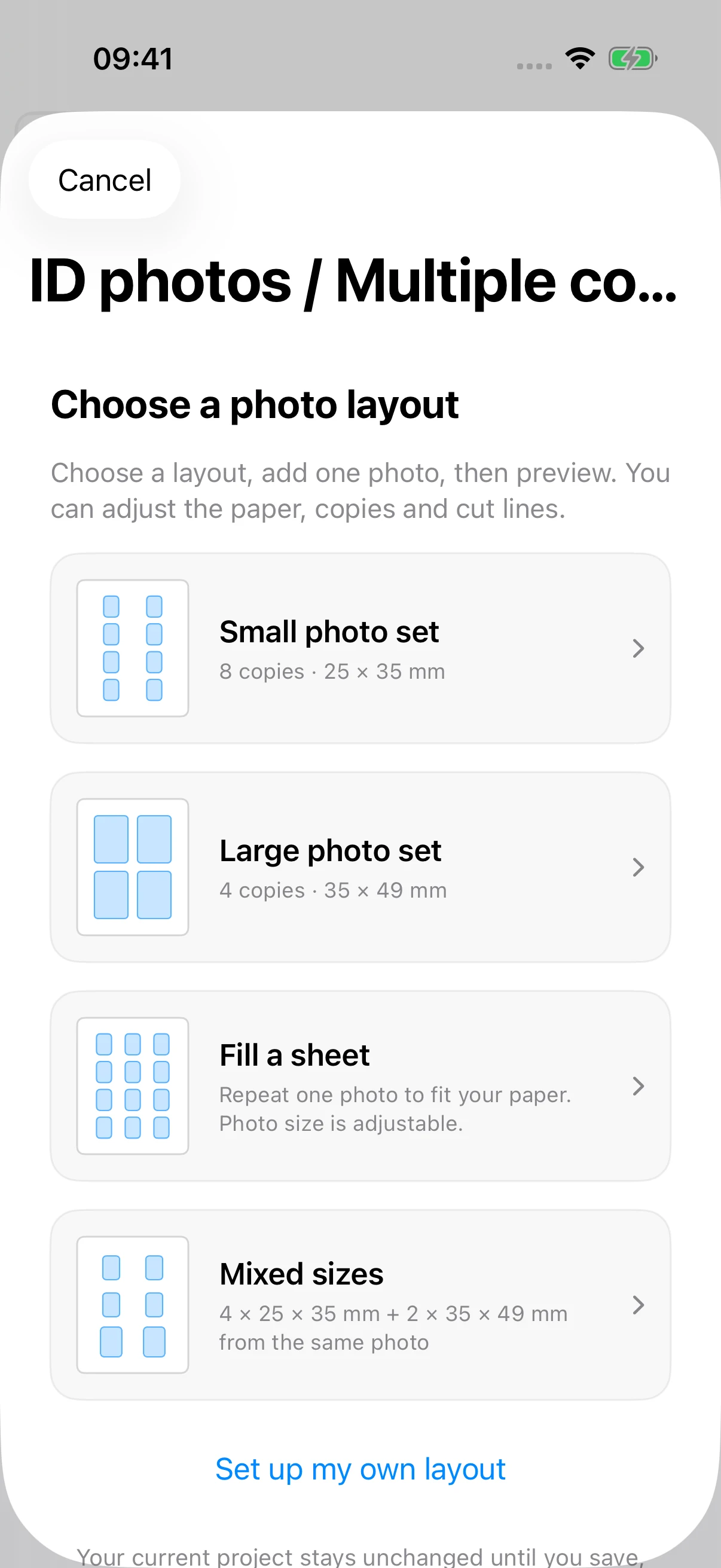
iPhone · 1.4 (47) · English interface · ID-photo presets · Actual PaperSnips 1.4 screenshots
SMALL DETAILS. YOUR WAY.
Know the size. Check the source quality.
The dimensions are layout targets, not a measured physical print. A 300 dpi JPEG export does not create detail missing from a low-resolution photo. This example verifies the PDF page and frame dimensions, not a physical print.
PDFAll pages in one file
300 dpi JPEG · All pages in iOS 1.5
Local projectsNo PaperSnips account needed
PaperSnips 1.5 for iPhone and iPad
iOS 1.5 is now released. Availability can vary by App Store region. Older guides and screenshots below retain their original version labels; they are not 1.5 screenshots. This update does not announce a new Mac release.
Export every photo-print page together as ordered JPEG files, find projects by their first-page layout cover, and sort history by recent changes or name. A multi-page JPEG batch still uses one print project, not one allowance per page.
Max now also offers an optional monthly auto-renewing subscription. Pro and lifetime Max remain one-time purchases. Check the regional price and billing terms in Apple’s purchase screen; manage or cancel monthly renewal through your Apple Account. Buying lifetime Max does not cancel a subscription.
PaperSnips 1.4 brings related photo tasks together on iPhone, iPad and native Mac. Choose the workflow for the result you need.
How do I print multiple photos on one page?
iOS 1.5: Export every photo-print page together as ordered JPEG files, find projects by their first-page layout cover, and sort history by recent changes or name. A multi-page JPEG batch still uses one print project, not one allowance per page.
Yes. Use the same source photo for two fixed-size groups: 25 × 35 mm and 35 × 49 mm, with 1–50 copies per group. This workflow does not support freely mixing portraits of different people or validating photos against official ID requirements.
For a photo with one detectable face, PaperSnips can replace the background with white, blue or red on your device. The standalone JPEG is not automatically sized for ID photos, and the working image is capped at 3 megapixels. Free background-replacement exports have a watermark; Pro and Max remove it.
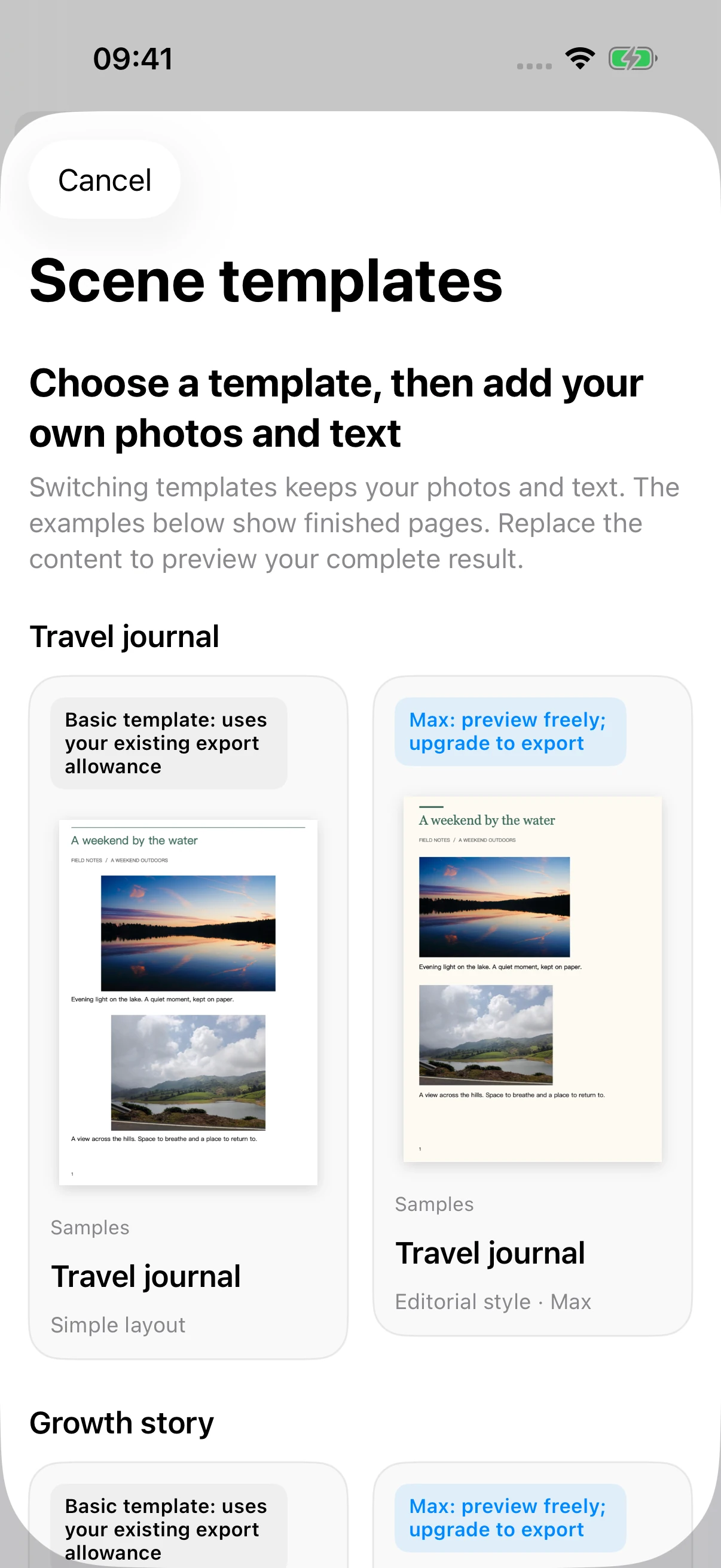
Image Notes combines photo captions and independent paragraphs in three layouts. Export a multipage PDF or a long image split into segments, useful for repair records and travel notes.
Export 3 different print projects free. Re-exporting the same print project does not use another allowance. iOS 1.5: Max now also offers an optional monthly auto-renewing subscription. Pro and lifetime Max remain one-time purchases. Check the regional price and billing terms in Apple’s purchase screen; manage or cancel monthly renewal through your Apple Account. Buying lifetime Max does not cancel a subscription.
Photo print layout for iPhone, iPad and Mac · App Store ID: 6819201831. PaperSnips 1.4 is now available for iPhone, iPad and Mac. Availability varies by App Store region. Local projects do not automatically sync between devices.
Small photos in mm or cm
Set photo-frame dimensions for journals, scrapbooks or planners, then arrange multiple photos on A4 (210 × 297 mm). A 5 × 7 cm frame is 50 × 70 mm.
iOS 1.5: Export every photo-print page together as ordered JPEG files, find projects by their first-page layout cover, and sort history by recent changes or name. A multi-page JPEG batch still uses one print project, not one allowance per page.
1.4: Photo Printing allows exports for three different print projects in total, with no daily reset. Re-exporting the same project uses no extra allowance. Optional Pro is a one-time purchase, with no subscription.
PaperSnips 1.3 for iPhone and iPad supports ten interface languages: English, Simplified Chinese, Traditional Chinese, Polish, German, French, Brazilian Portuguese, Japanese, Spanish and Indonesian. These tutorials are available in all ten languages. Existing downloadable examples are in English, not a ten-language export test.
The sample PDF is an earlier real 1.0.3 export. Its page and frame dimensions were checked, but no physical print was measured. App screenshots on this website show actual 1.4 interfaces.
Actual PaperSnips 1.4 screenshots
Explore the 1.4 interface
Actual iPhone/iPad 1.4 (47) and Mac 1.4 (28) interfaces. Device and interface language are identified below each image.
iPhone · 1.4 (47) · English interface · ID-photo presetsActual PaperSnips 1.4 screenshotsiPhone · 1.4 (47) · English interface · Image Notes templatesActual PaperSnips 1.4 screenshotsiPhone · 1.4 (47) · English interface · Mixed-size portrait layoutActual PaperSnips 1.4 screenshotsFictional adult portrait used as a demonstration.
PHOTO PRINTING CONTROLS
Four controls. One finished photo page.
1.4 interface: Add photos, Photos, Layout and Export are along the bottom; History, New and Settings are at the top. Update to 1.4 to follow these controls.
Export 3 different print projects free. Re-exporting the same print project does not use another allowance.
Pro
iOS 1.5: Max now also offers an optional monthly auto-renewing subscription. Pro and lifetime Max remain one-time purchases. Check the regional price and billing terms in Apple’s purchase screen; manage or cancel monthly renewal through your Apple Account. Buying lifetime Max does not cancel a subscription.
When is a separate layout app useful?
If your printer app already makes the sizes you need, use it. PaperSnips is for deliberate physical dimensions, repeatable layouts and a small-screen editing workflow. It is not a printer driver, passport-photo compliance checker or promise of borderless printing.
Before you print
Why did my print come out a different size?
Check the paper size and disable fit-to-page scaling where your printing app allows it. Print at actual size or 100%, then measure a test print.
Does exporting again use another free project?
No. The allowance covers three different projects. Re-exporting the same project does not use another project allowance.
1.4: Do I need an account or subscription?
No PaperSnips account is required. Photo processing and project storage are local. Pro is an optional one-time purchase, with purchases and restoration handled by Apple.
Is this a photographed physical print?
No. The page shows a real exported PDF preview and actual app interface. Physical print dimensions have not been measured.
iOS 1.5 is now released. Availability can vary by App Store region. Older guides and screenshots below retain their original version labels; they are not 1.5 screenshots. This update does not announce a new Mac release.