PaperSnips 1.6 · Print different photo sizes on one A4 sheet
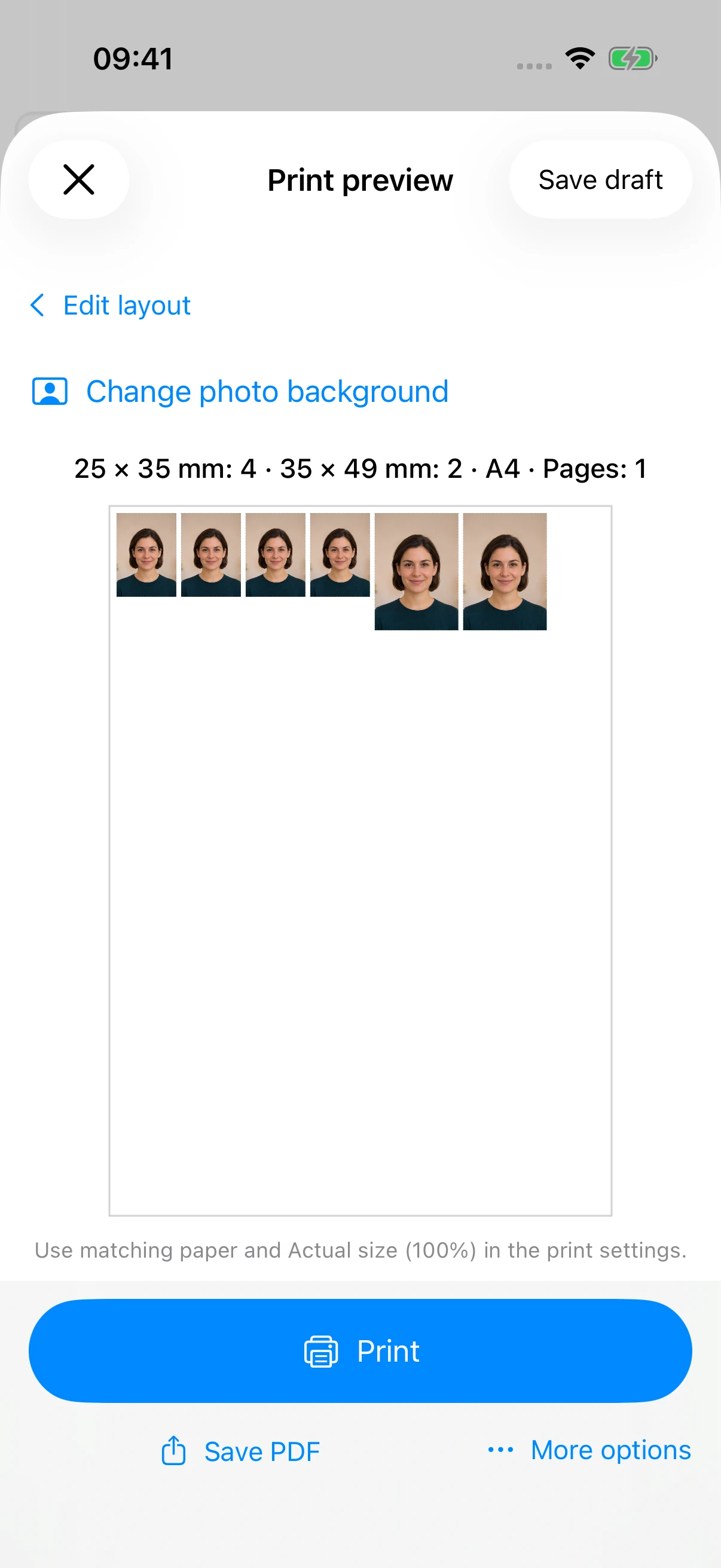
PaperSnips 1.6 for iPhone and iPad lets you pick photos while the numbered A4 page stays in view. You can fill two or three fixed frames of different sizes, then swap the photos without moving or resizing the frames.
iOS 1.5 is now released. Availability can vary by App Store region. Older guides and screenshots below retain their original version labels; they are not 1.5 screenshots. This update does not announce a new Mac release.
Export every photo-print page together as ordered JPEG files, find projects by their first-page layout cover, and sort history by recent changes or name. A multi-page JPEG batch still uses one print project, not one allowance per page.
Max now also offers an optional monthly auto-renewing subscription. Pro and lifetime Max remain one-time purchases. Check the regional price and billing terms in Apple’s purchase screen; manage or cancel monthly renewal through your Apple Account. Buying lifetime Max does not cancel a subscription.
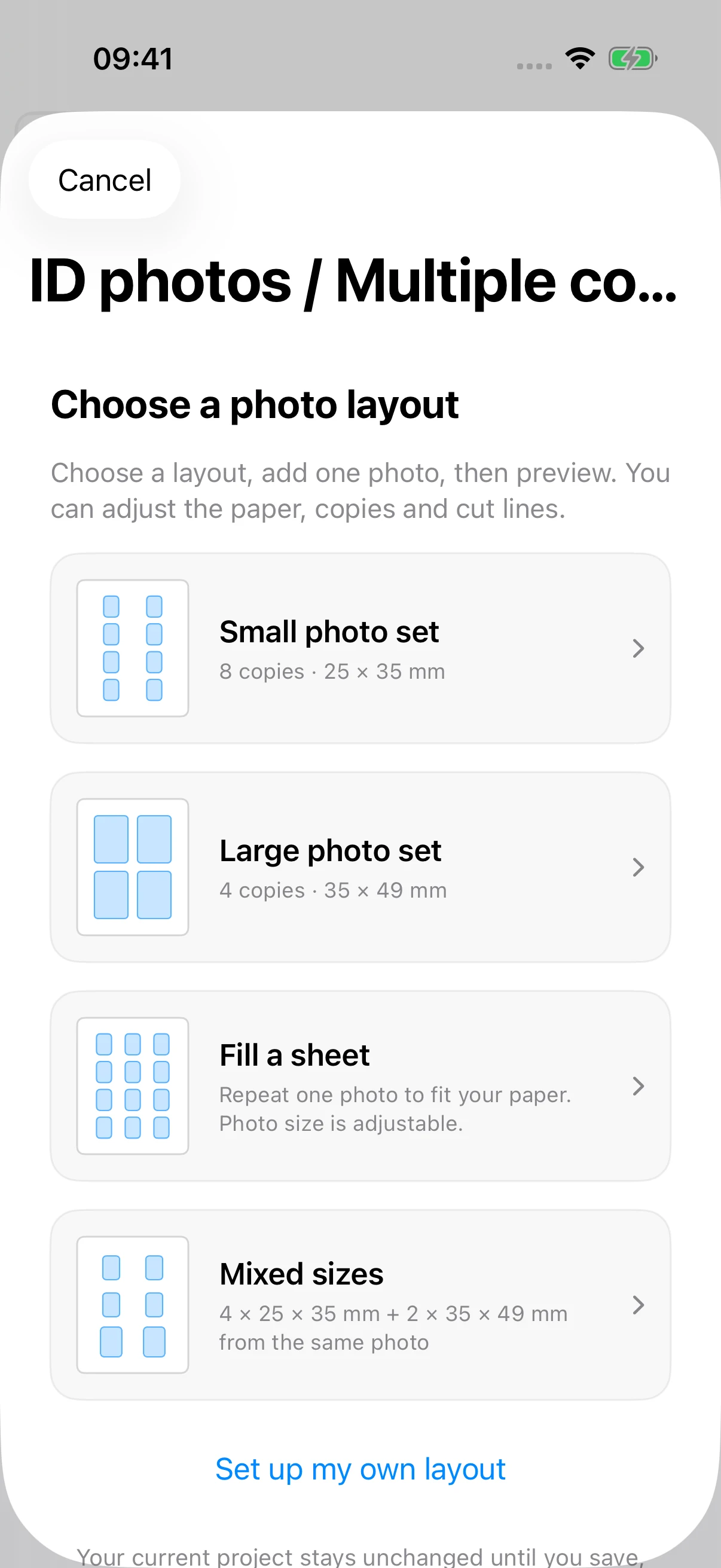
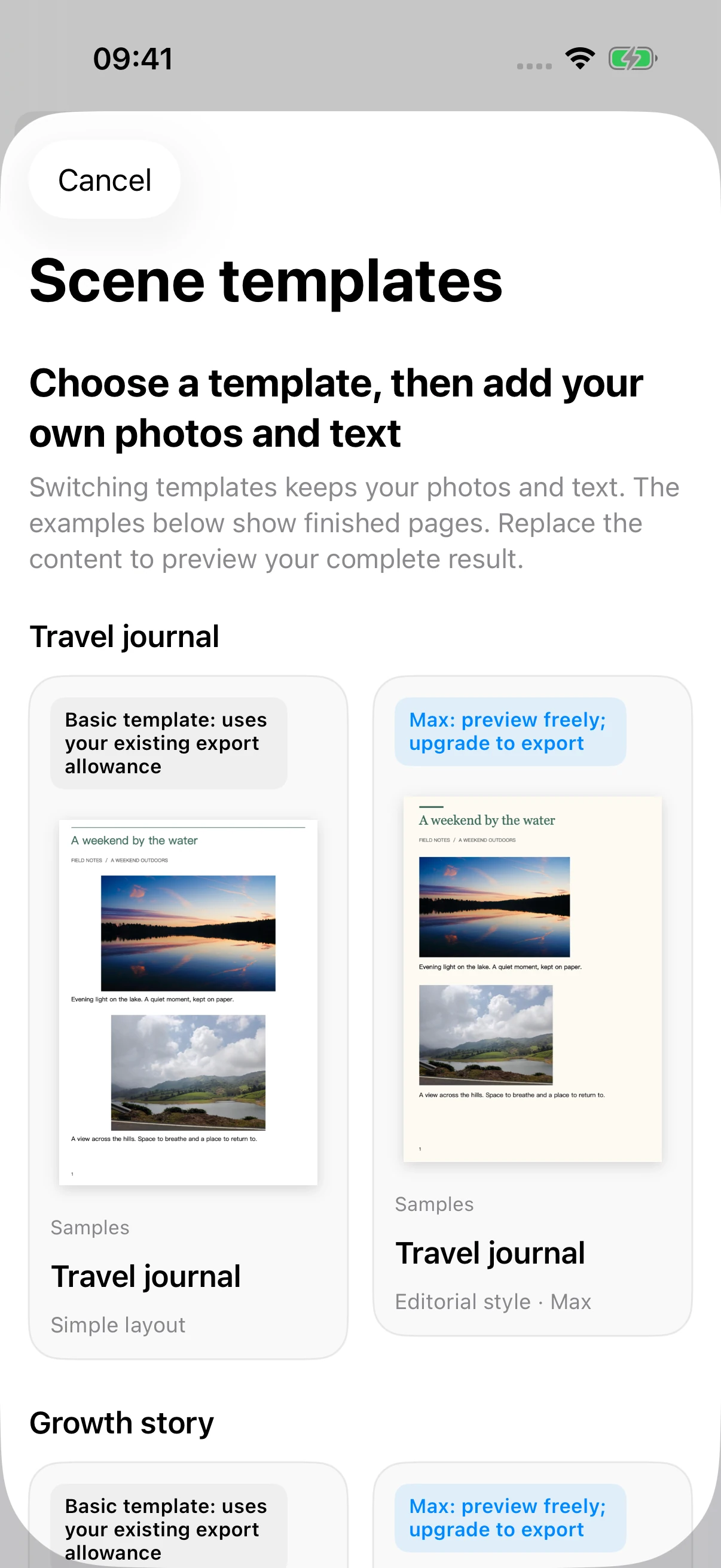
Actual iPhone/iPad 1.4 (47) and Mac 1.4 (28) interfaces. Device and interface language are identified below each image.
iPhone · 1.4 (47) · English interface · ID-photo presetsActual PaperSnips 1.4 screenshotsiPhone · 1.4 (47) · English interface · Image Notes templatesActual PaperSnips 1.4 screenshotsiPhone · 1.4 (47) · English interface · Mixed-size portrait layoutActual PaperSnips 1.4 screenshotsFictional adult portrait used as a demonstration.
1.3: Photos at the right size. Images and words together.
PaperSnips 1.4 is now available for iPhone, iPad and Mac. Availability varies by App Store region. Local projects do not automatically sync between devices.
Fixed-size photos: choose a photo, size and copies, add cutting guides, save a draft and reopen it from History.
Image Notes: images, captions and independent paragraphs, including text-only documents; stacked, side-by-side and two-column layouts; PDF or segmented long-image export.
iPhone/iPad: ten interface languages, improved long-translation and larger-text layouts, clearer selected sizes and copy counts.
Mac: native split workspace, menus, shortcuts, system save/print panels and a separate read-only preview.
Existing screenshots retain their recorded versions. This is not a new app-binary or physical-print test. Purchase availability and regional prices come from the App Store.
The native Mac app is now available
Finder import and drag-and-drop, physical-size photo layouts, PDF/JPEG export and native system printing. Projects stay local without automatic device sync.
Photo-and-text projects in 1.3 let you arrange images, captions and independent text paragraphs in stacked, side-by-side or two-column layouts, then export PDF or long images. Photo printing stays separate.
PaperSnips 1.4 is now available for iPhone, iPad and Mac. Availability varies by App Store region. Local projects do not automatically sync between devices.
Version 1.4 archive · Current release: 1.4. Earlier release notes below are history. App screenshots show iOS 1.4 (47) and Mac 1.4 (28).
iOS 1.1 · 2026-11-05
A larger canvas and clearer controls.
Historical release 1.1 improves New project and export-allowance guidance and fixes overlapping empty-project text. Photos & batch edits includes dimensions, additional copies and ordering; Layout offers paper-saving order; Output check reviews dimensions, resolution and an optional 5 cm ruler.
1.0.3 is a store screenshot update, not a new editing feature. Its release notes describe the expanded A4 canvas and controls on the inner display and a focused workbench on the outer display of iPhone Duo. The width-adaptive workbench and preserved editing state were introduced in 1.0.2.
In that historical release, the app supported English and Simplified Chinese. Photo sizes, PDF and 300 dpi JPEG export, three free project exports and the optional one-time Pro purchase have not changed.
Which screenshots can you see here?
Current website app screenshots show iOS 1.4 (47) and Mac 1.4 (28). Obsolete interface screenshots are no longer used on the live pages.
We inspected the public US store gallery, not only the release text. That web view showed iPhone and iPad images; Duo-specific gallery images were not visible there. The release description is not proof that every storefront or device already displays the new images.
How do I size small photos for a journal?
Measure the space on the journal page, then set the photo frame in millimetres or centimetres. For a 50 × 70 mm frame, enter 50 × 70 mm or 5 × 7 cm. Fit keeps the whole photo and may leave space; Fill fills the frame by cropping. Review the crop before exporting.
Start an A4 page, use a 2-, 4-, 6- or 9-photo layout or a custom grid, and adjust individual photo dimensions. Leave room for margins and gaps. When a page fills, the app adds a page rather than silently shrinking your chosen photo sizes. Screen width changes the editing view, not those physical dimensions.
Why does my print not match the selected dimensions?
Export size and printer scaling are separate. Match the paper size, choose Actual Size or 100% where available, and avoid Fit to Page when it rescales the design. Printer margins may still affect the output. Print one test page and measure it before using more paper.
Choose PDF for all project pages in one file with the selected physical dimensions. Choose 300 dpi JPEG for the current page. Save or share through the iOS share sheet, then use your preferred printing app. Photo processing and projects stay local; no PaperSnips account or photo upload is required. A share destination you choose has its own handling of the exported file.
What stays free, and what does Pro unlock?
1.4: Export three different projects for free. Re-exporting the same project does not use another trial project. Optional PaperSnips Pro is a one-time purchase for additional project exports, not a subscription. Check the App Store for regional pricing.
What has not been independently tested?
This page verifies the public listing and distinguishes screenshot evidence from release text. It is not a test of the native binary, a physical folding device or a physical print. Earlier developer-reported simulator checks do not guarantee printer output or constitute Apple certification.