NATIVE MAC APP · AVAILABLE NOW
A photo page, made on your Mac.
PaperSnips Mac 1.4 is available: photo layouts, one-photo sheets and Image Notes with plain text, three layouts, multipage PDF and segmented long images. Native save and print; local projects.
Mac 1.3 · macOS 14.0 or later · English and Simplified Chinese · Free allowances; optional one-time Pro / Max.
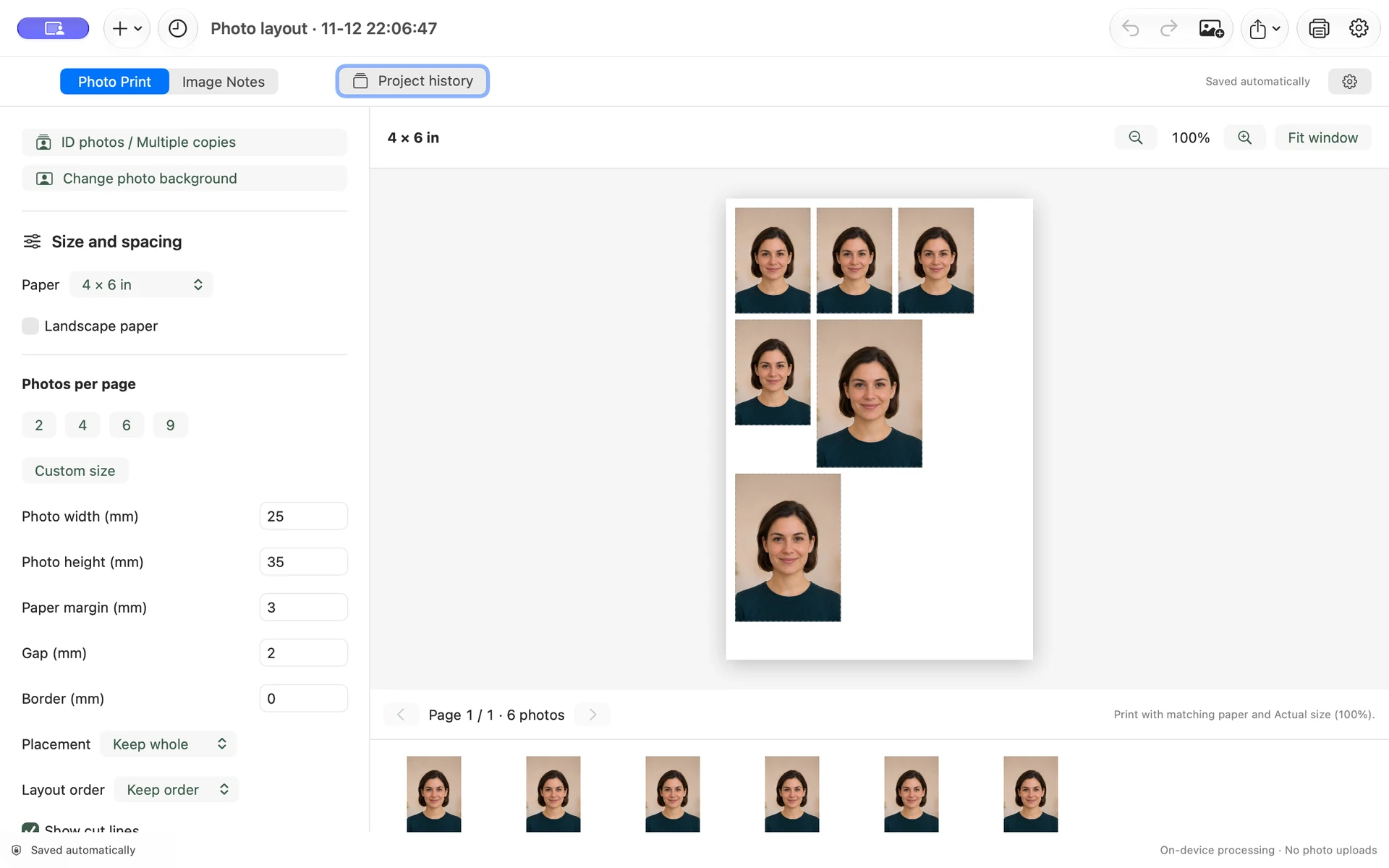
Choose the size and layout
Import from Finder or drag images into the workspace. Choose 2, 4, 6 or 9 photos per page, or custom photo sizes. Set dimensions in mm or cm, margins, spacing and borders. Double-click a photo for its size and crop position; right-click to reorder, duplicate or remove. Undo and Redo are available.
Image Notes: plain text and three layouts
Combine images, individual captions and independent paragraphs, including text-only documents. Choose stacked, side-by-side or two-column layouts with live preview or a separate read-only preview window. Text is plain text, without rich-text or Markdown formatting. Export A4 multipage PDF or segmented long images, and restore finished versions as drafts.
One-photo sheets and native Mac controls
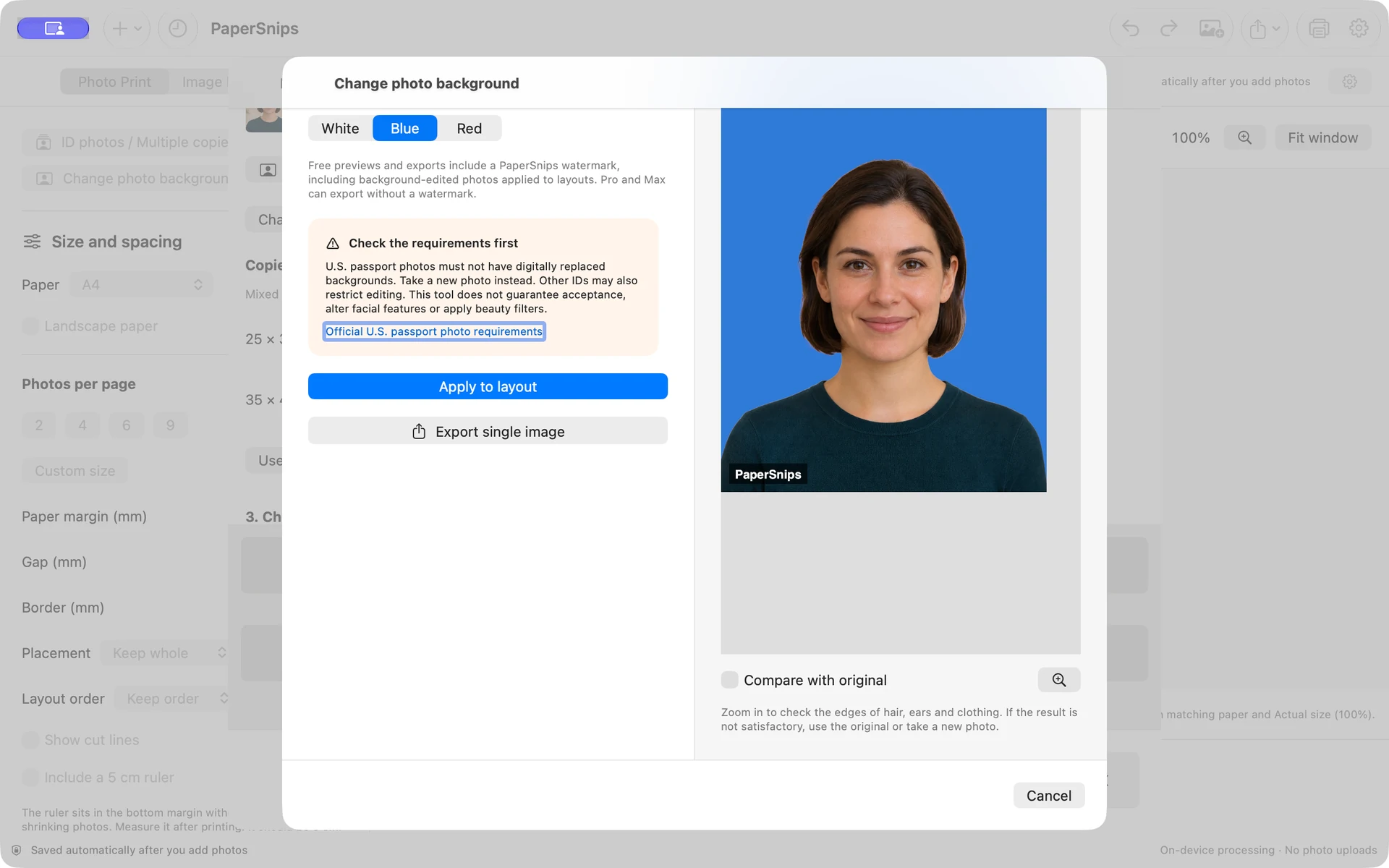
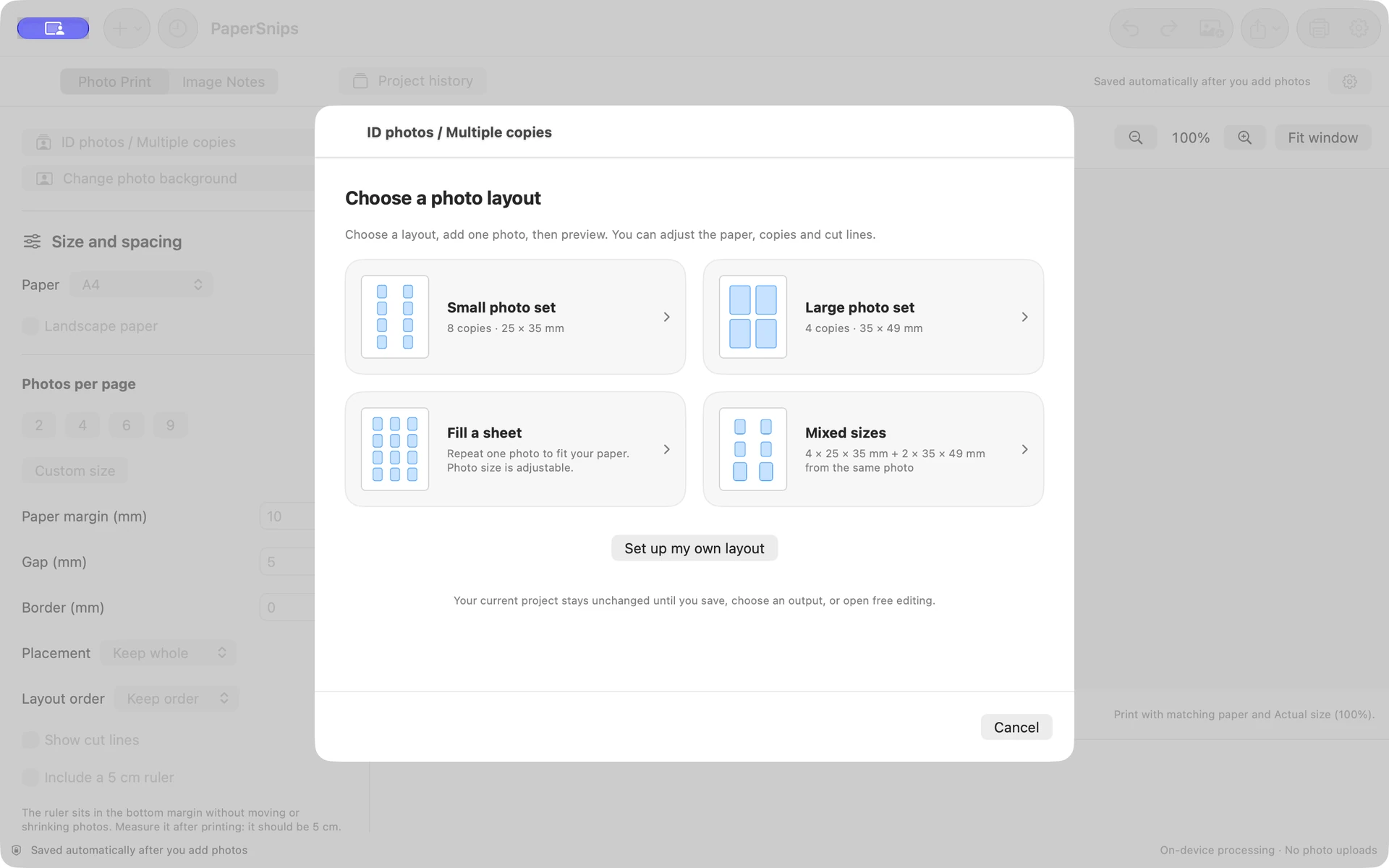
Repeat one photo with precise dimensions, a copy count or fill a page, add cutting guides and save a draft. This is a size-layout tool, not automatic background removal or a guarantee of official ID-photo acceptance. Use native menus, shortcuts and system save and print panels.
Export or open the system print panel
Save every page in a PDF or the current page as a 300 dpi JPEG. Use the toolbar or Command-P for the native macOS print panel. Match the paper and choose Actual Size / 100%, then measure a test print. Printer margins and scaling can change physical results.
Local projects, without automatic device sync
Projects autosave on the current Mac. Reopen, rename, duplicate or recover recently deleted projects. They do not automatically sync with iPhone, iPad or another Mac. Restore Purchases restores eligible purchase entitlement, not local projects.
Free, Pro and Max
Free includes 3 different print projects and 1 Image Notes project with up to 10 finished versions. One-time Pro includes unlimited print projects and 3 Image Notes projects in total, including free usage, with up to 10 versions each. One-time Max removes project and finished-version allowances, subject to storage and rendering limits. Eligible Pro owners can upgrade to Max when available. Drafts, previews, cancelled or failed output do not count; repeated output of the same content does not count again. Deleting used projects does not return allowances. Current prices and availability come from the App Store.
Keep the platform releases separate
PaperSnips 1.4 is now available for iPhone/iPad and native Mac. Mac supports English and Simplified Chinese interfaces; iOS supports ten interface languages. Controls and navigation differ between platforms.
Official sources
Mac App Store listing · iPhone/iPad listing · iOS 1.4 · iOS photo-and-text guide
Mac release status is developer-confirmed; features are based on Mac 1.3 source and submission materials. This website update is not a new binary or physical-print test.
Actual PaperSnips 1.4 screenshots
Explore the 1.4 interface
Actual iPhone/iPad 1.4 (47) and Mac 1.4 (28) interfaces. Device and interface language are identified below each image.